Variables
Description: Share state between dialogues, quests, and game code.
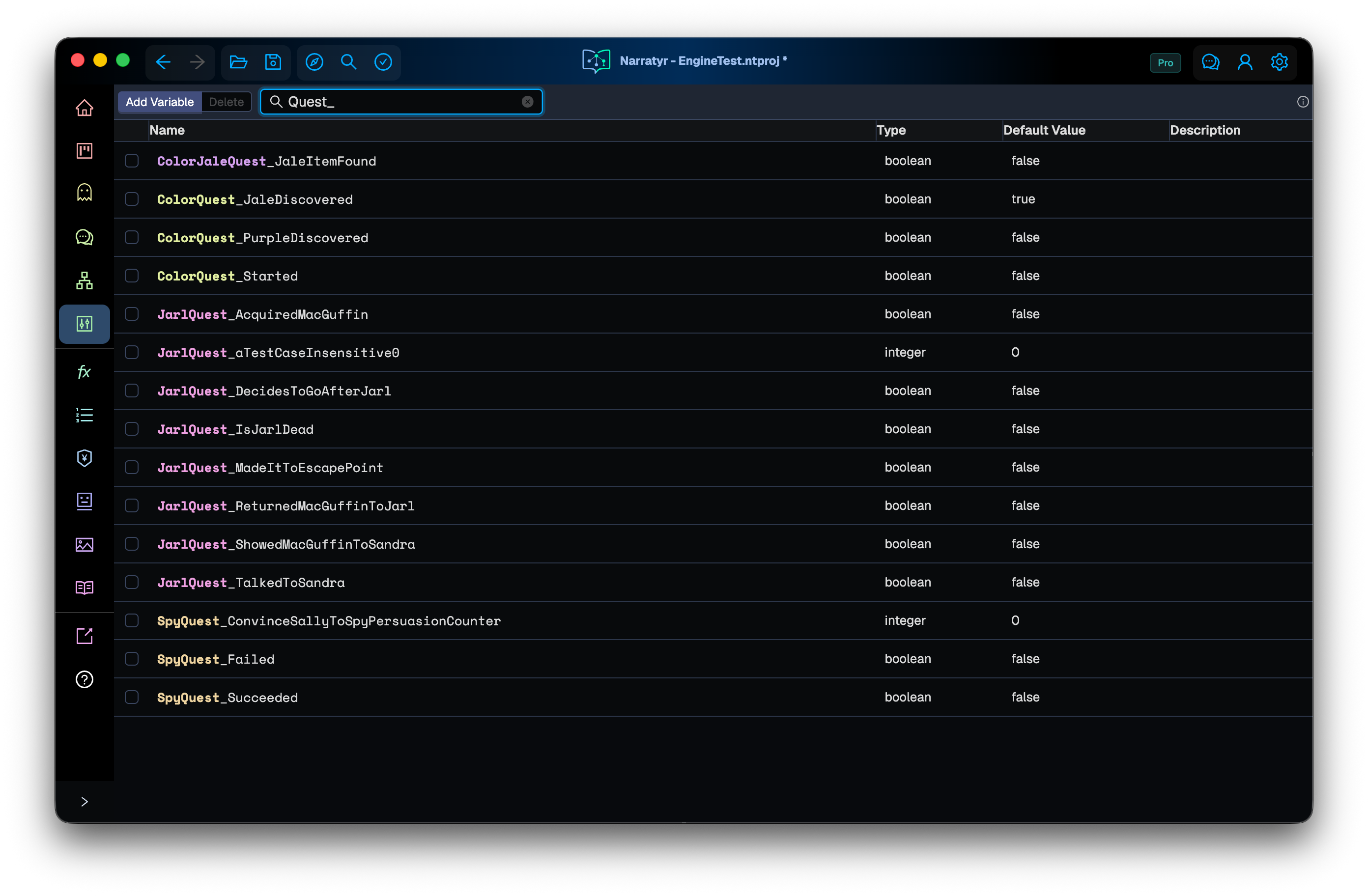
A variable is a named value available throughout the project. It isn't limited to one graph,
conversation, or entity. Values such as JarlIsDead, Gold, and QuestPhase let different
parts of the story respond to the same state.
Each variable has a default value for a new game and can include a description. Variables can store primitive values, option set entries, entity references, or Expression definitions. Lists and sets store multiple values of one type.
Naming and storage
All graphs can use all project variables. Use underscore-separated prefixes to group their
names. Common patterns include <QuestName>_<VariableName> and
<Topic>_<SubTopic>_<VariableName>.
Source control. The prefix before the last underscore determines which .nvars file
contains a variable. Prefixes reduce overlap when team members change unrelated variables.
The editor also gives each prefix a different color.
Types
Narratyr supports the primitive types boolean, string, integer, and number. A variable
can also use an option set or an entity reference.
Expression definitions
An Expression variable stores a reusable formula, such as PlayerLevel * 2. It holds
the definition, not a computed number. Use eval(Formula) in graph logic to compute the
current result, where Formula is the variable's name.
Choose Expression in the type menu. Select the value cell, then select it again or press Enter. The source editor supports completion and multiple lines. Leaving it or pressing Escape commits the text. A blank definition evaluates to false.
Edit definitions in the project. Instructions can't assign them during play. Runtime save snapshots restore their inputs rather than replacing the definitions. Lists and sets of Expressions aren't supported. See Stored Expression values for defaults, evaluation, and warnings.
Lists and sets
A list or set stores several values with the same item type. Lists can contain duplicates, while sets remove duplicate values. The item type can be a primitive type or an option set.
Write the type with angle brackets. list<string> means a list of strings, and set<number>
means a set of numbers.
Lists can replace groups of related flags. A VisitedLocations list can store
location IDs instead of using a separate true or false variable for each location.
Option sets
Use an option set when a variable must contain one of several fixed values, such as a quest phase or character mood. The editor then shows the available entries and prevents invalid text. Option sets explains how to define them.
Entity references
An entity_reference stores an entity ID as a string. The type tells Narratyr to treat that
string as a reference to a character, item, location, or another project entity.
Share state across systems
The runtime, dialogue graphs, quest graphs, and game code can use the same variable. They refer to it by name, so the systems don't need direct references to each other.
- A dialogue instruction can update a flag that a later quest condition reads.
- A quest can update a value that changes text in an unrelated dialogue.
- Game code can copy inventory or player position into a variable for graphs to read.
A graph doesn't need to identify which system wrote HasMetSandra. It only checks the current
value. This keeps dialogues and quests independent while they respond to shared events.
Functions provide another connection to your game. Use a function for an immediate action such as granting an item or starting a cinematic. Use a variable for state that must remain available.
Narratyr engine plugins can capture and restore mutable variable state as part of a saved game. Expression definitions stay in exported content.
Choose who updates a variable
Narratyr can update narrative state such as JarlIsDead through graph instructions. Your game
can update values such as player health and position. Conditions and instructions
use both kinds in the same way because the variable name identifies the value.
Conditions and instructions
Graphs use the same expression language for conditions and instructions.
- Conditions: a Gate waits for a true condition, while a Hub checks a condition for each
output. Choice settings can also hide or disable an option based on a condition. An example
is
Gold >= 10 && !HasMap. - Instructions: an Instruction Node changes values. It can change a flag, increment a counter,
or add an item to a list. Examples include
JarlIsDead := trueandGold += 5.
References use the variable name rather than a copied value. A change to QuestPhase affects
the conditions that read it across the project.
Next
Expressions provides the complete condition and instruction syntax. Dialogues and Quests describe the graphs that use variables. Text directives explains how to insert variable values into text.